Tuesday, 25 November 2014

How to Download APK Files From Google Playstore To PC

Android market by default is one of the best with loads of apps that are paid but can be downloaded free. Google Play Store, by default, doesn’t allow the download of APKs for free games and apps stored there and it installs the requested app or game on the
device directly. But maybe you have been wanting to download apk apps or games on your computer or other devices like BlackBerry10 that supports Android apps directly from Google Playstore or perhaps for offline uses but you don’t know how to,
I’m going to quickly show you how you can download any apps available on Google play store to your computer or Blackberry10 directly.
How Can I Download Any App in PlayStore on my Computer/Blackberry10?
Evozi Downloader: This is one of the best apk downloader I’ve ever used and will keep using. It is easy to use and within the twinkling of an eye, you have your apk file already on your pc or device.
==>Click here to begin
==>Enter the app ID from Google Play Store or enter the entire URL for the app or game at Google Play Store you want to download
==>Click on “generate download link” and your download will begin.
You can then transfer it to any device you want when you are through downloading.
Google Chrome Extension: If you don’t want to use online downloader, there is also a provision for Chrome browser extention that even makes it more easier for you to use. If you don’t have Google chrome browser on your computer, you can download it hereDownload the apk extension

8 New Features of Android 5.0 Lollipop You Didn’t Know


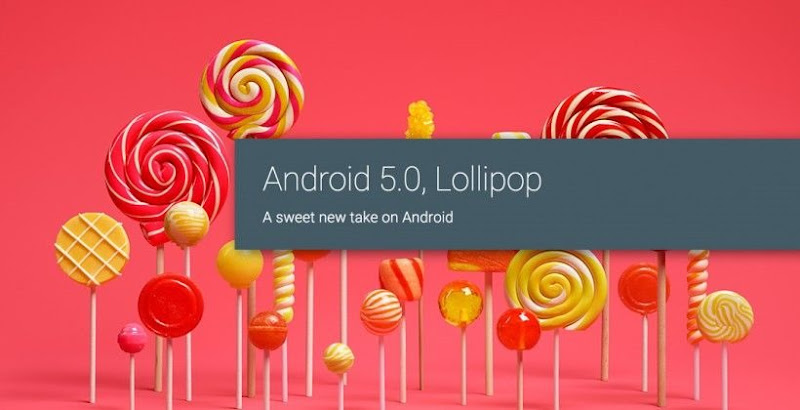
android lollipop 5.0
Android 5.0 Lollipop is the most current variation of Google’s Android os and every smartphone user is strangely enough awaiting its upgrade. I believe, you’ll be pleased to find out about the 8 brand-new and fascinating functions of Android 5.0 L os that you most likely didn’t understand. With this short article, you’ll discover that how Android 5.0 is various from the older variations. The 8 brand-new functions of Android Lollipop will certainly provide the response!

These 8 brand-new functions of Android 5.0 os will certainly make you so excited to obtain its upgrade in your smartphone. In case of me, after understanding about these brand-new functions, it’s my eager desire to obtain the Android 5.0 Lollipop upgrade in my brand-new Samsung Galaxy S5 smartphone.

8 New Features of Android 5.0 Lollipop

Simply, look on the following functions of Android 5.0 Lollipop running system.
 

#1. The All New Material Design

A vibrant, vibrant, and receptive UI design for constant, instinctive experiences throughout all your gadgets of Android 5.0 Lollipop. Google called it material design. The all brand-new product design has a lot more functions that will certainly draw your focus on it and you’ll strangely enough await its upgrade in your smartphone.
A few of the functions of product design are as follows:
  • Responsiveness
  • Reasonable Lightning’s and Shadows
  • Dazzling brand-new colors
  • Typography
  • Edge to edge imaginary
  • Natural movement

#2. New & Fantastic Way to Control Notifications

In the Android 5.0 Lollipop running system, you’ll discover the brand-new and wonderful methods to manage the alerts for different functions such as for getting SMS, calls and so on. This brand-new os variation includes a brand-new function to see and react to messages straight from your lock screen. Nevertheless, you can conceal delicate material for these alerts.
For less interruptions, you can switch on Priority mode by means of your gadget’s volume button so just specific individuals and notices survive. Or schedule repeating downtime like 10pm to 8am when just Priority notices can survive.
This brand-new variation of Android running system likewise allows you to switch off or focus on the notices for individual application in your smartphone.

#3. Battery Saver & Other Battery Features

This os has the fantastic battery saver function which extends gadget use by approximately 90 minutes. When you plug in your smartphone to charge, it will certainly reveal the projected time delegated completely charge your gadget. In the battery settings, you can likewise discover the approximated time left on your gadget prior to you have to charge once more.

#4. Android Smart Lock & Other Security Features

The brand-new Android Smart Lock and other security functions make Android 5.0 Lollipop running system ultra safe. New gadgets are including file encryption instantly switched on center to assist safeguard information on lost or taken gadgets. Additionally, you can make use of the all brand-new Android Smart Lock to protect your phone or tablet by matching it with a trusted gadget like your wearable and even your vehicle.

#5. Several Users to Share Device with Family & Friends

Yup people, it is the all brand-new function in brand-new Android Lollipop running system by which you can produce the numerous users on your phone to share the phone with the restricted gain access to of information. The most crucial advantage of multi-user function is that if you forget your phone, you still can call any of your pals (or gain access to any of your messages, pictures and so on) by merely logging into another Android phone running Lollipop. Likewise best for households who wish to share a phone, however not their things.
The visitor user function is the most advantageous and I actually enjoyed it a lot since if your buddy or bro asks your phone to browse Internet or for other function, you can offer him gain access to though visitor account so that he might not see your individual things. So, with this visitor user function, you can just provide your smartphone to any person without needing to fret about your individual information.

#6. Screen Pinning

It’s another interesting function of Android 5.0 Lollipop where the gadget owner can pin the screen location or certain material so another user can access simply that material without tinkering your other things.

#7. Boosted the Color Blind Capabilities

If you’re a color blind individual, then you’ll be delighted to understand about this function of Android 5.0 L os. In this brand-new variation of Android, the low vision and color blind abilities has actually been improved. In truth, you can increase the text contrast or invert colors to enhance clarity. The display of Android L is extremely adjustable so that you can adjust it to enhance the color distinction.

#8. Android L Supports 68+ Languages

Unlike the previous variations of Android L os, it is now readily available in more than 68 languages around the globe. 15 brand-new language additions are as follows:
Basque, Bengali, Burmese, Chinese (Hong Kong), Galician, Icelandic, Kannada, Kyrgyz, Macedonian, Malayalam, Marathi, Nepali, Sinhala, Tamil, Telugu.

So, these are the 8 brand-new and most fascinating functions of Android 5.0 Lollipop you didn’t understand or you may not discovered them in previous versions. Mostly, I loved the material design and multi-user feature of Android L os.
Other function except the above 8, you can mention that in the comment box

So Airtel Uses Abnormal Calculator to Calculate Data Consumption

DON_PHEZTURZ


I don’t know the kind of automatic calculatorAirtel NGuses to calculate their data consumption but I’m very sure its an abnormal calculator.
That calculator automatically gives you abnormal result.
How can you get 4Gb data on Friday and by Monday morning, its remaining 5MB?
There is no mathematical calculation to justify the use. No download, no streaming, just twitter, Facebook, BBM
and Instagram…
this was the statement my colleague at work said to me the moment I got to work this money.
I scrolled through her device to see if she secretly download or stream Youtubevideos on her device but nothing suspicious was found on her device. I had no choice but to lure her away from that seductive 4GB brouhaha called Airtel BIS and activate Glo Blackberry Plan on her device.
Though, I don’t know how many of you still uses the Airtel Bis 4G Plan (I’m not talking about their Android Plan).
But I don’t think their Android Plan suck data like this.
2 Reasons You Shouldn’t Use Airtel BIS on Android
==>It suck dry your data. This time around, it is 4x data sucking and I really hopeAirtel NGwill fix this if not…
==>You dare not download with it or you kiss your MB good bye.
I don’t know if its programmed to lynched data if you even make an attempt to download with it. Your data will automatically disappear.
Instead of going for this Airtel Blackberry 4GB 2months plan, choose a better android plan.
A lot of people lately have lamented about this Airtel BIS, and I don’t really know why they keep re-introducing it again.
However, their Android plan is not like that. It doesn’t zapp like this infected 4GB.
Those of us usingiPhone/iPad, itsnot advisable to even try this out.
MTN or ETisalat will do you good since they are now even cheaper from third party seller.

Hot! How To Use MTN BIS On Android & PC Using Simple Server & TroidVPN


This is not new, but it is new to some people because it quite some weeks I updated this MTN Bis thread. So if you are finding it difficult to use Glo bis on your android or you just want to download with your MTN
Bis, then you’ll consider this post unique.
MTN rocks flawlessly with Simple Server on PC and Android, It rocks on Troidvpn too. And if you have huge files to download like season movies, OS etc, then you can use MTN Daily BIS as it is unlimited with Simple Server. How Can I Get it working on PC?
==> Download simple server here
==> Extract the downloaded file and open the extracted file folder, click on the ‘Simpler Servers.exe and run the application.
==> Load #100 on your MTN line and send BBCDAY to 21600, when activated slot the SIM into your modem
>>Connect it to your PC then After receiving the welcome to Mtn Bis message, Go to setting on your Modem and configure your
APN: web.gprs.mtnnigeria.net,
Password & username: web >> Also configure your browser and IDM to 127.0.0.1 port 8080
Open your browser and start surfing and downloading.
How Can I get it Working on Android?
==>Download Android simple server app here.
==> Install it on your Android
==>Create New APN settings On Your Phone As Follows..
Proxy: 127.0.0.1
Port: 8080
APN: Web.gprs.mtnnigeria.net
Save And Activate it ss your default settings.
Go to simple server and configure the settings:
==>Pproxy host: 10.199.212.2
==>Proxy Port: 8080
==>Injection Method: get
==>Injection querry/url: http://web.blackberry.com
==>Injection Host: web.blackberry.com
==>Injection line: press your enter key 4 times
==>Log leve: debug
Close the settings and click the connect button.
How Can I Get it Working Using TroidVPN on Androd?
==>Download TroidVPN here
==>Run and Install It on your device
==>Set your default Sim APN to
web.gprs.mtnnigeria.net
Select any server you like
Rport: 80 Lport: 0 TCP
Click on Advance and set up as seen below
Tick use proxy for TCP connection
Proxy host: 10:199.212.2
Proxy Port: 8080
Hit the save button and connect. That’s all.
you can download anything you want for 24hrs until your unlimited plan time elapses and it will cost you just 100 naira to re activate the plan. Or use already activated monthly BIS Plan. Daily rocks unlimited.

Saturday, 15 November 2014

MTN BIS ROCKS UNLIMITED ON PC

I knew this may not be new to some people, i should have post it early than now it is due to my nonavailability. But its better late than never.
Back to business
I am introducing you to MTN BIS and how its rock unlimited on PC through VPN . Follow the setup below properly and it will work.
Procedure
Firstly you have to subscribe to MTN BIS either of the following plan
MTN Bis Monthly –  text  BBC to 21600 cost #1000
OR
MTN Bis weekly – Text Bbcweek to 21600 cost #500
OR
MTN Bis daily – Text Bbcday to 21600 cost #100
after your subscription download any of the following software if you are using 32bit Operating system or download this software for 64bit operating system
Setup the software as shown below
Generate the  username and password from www.tunnelguru.com
Study the screenshot for easy setup
Tunnel DNS Query: Input 10.109.2.97
Protocol: TCP
Port: 80


Many thanks to Kelly on his contributions on the post
Hope this information helps?
If it works for you, don’t forget to drop your testimony and remember to Click Share/Like buttons for the benefit of others.
If you enjoyed this post and wish to be informed whenever a new post is published, then make sure you.

Monday, 10 November 2014

How To Unblock Any Sim Card If U Lost The PUK Number

IT seems many people
have
blocked their simcards
and they are looking for
solution on how
to unblock it.
Here is the solution on
how to unblock your
simcard.
It is very Simple and
Easy..
HERE IS HOW TO UN-
BLOCK SIM
CARD
Just insert the blocked
sim
inside phone,
then remove it and switch
off the phone.
and insert the blocked sim
in the phone again and
switch on the phone.
then press this code:
*22233421# .
after that press the new
pin you wish. That's all....
Enjoy!

Airtel Bis 4GB For #1,500 Reloaded

Airtel just re-open Airtel Bis 4GB for #1500 (1+1
Bis offer) and it is rocking on all device. The
Android offer is still running 4GB for#2,000 & 9GB
for #3,500 .Why Should I Go For This Plan?
==>It can browse on every device including java
phones
==>When you subscribe, you get the next month
subscription free. Which in other words means that
you can subscribe with #1,500 this month and get
free subscription for next month.
==>You can have 10 registered email ads on that
plan.
==>You have access to Blackberry protect.
==>It doesn't zap data on PC. To use it on Android,
deactivate every background app from running so
that it won't suck dry your data.
How Can I Get This Offer?
Before you recharge, dial *440*161# to know if
you are eligible for this offer. If you are not eligible,
follow this guide on how to be eligible here .
My sim is a prostitute sim, it is eligible for every
offer; I don't know about you.